



Graphic Design • Vector Graphics • Raster Images
Understanding the Differences Between Vector and Raster Graphics
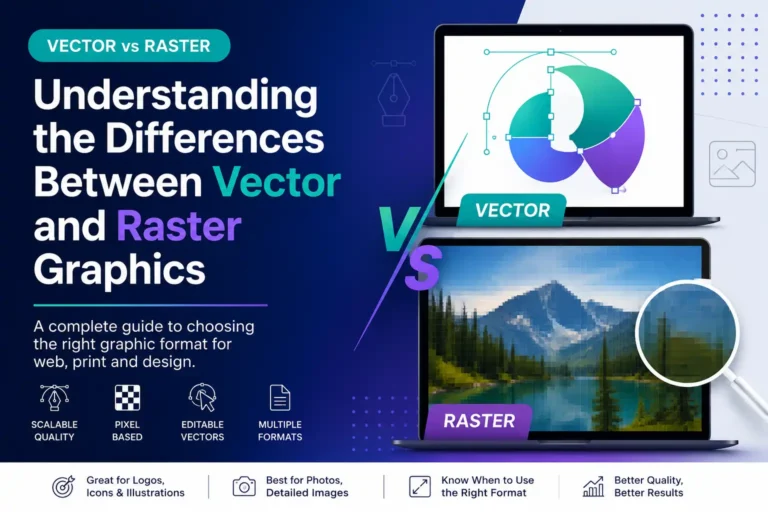
Vector and raster graphics are two essential image types used in design. Understanding how they work helps you choose the right format for logos, photos, illustrations, print materials and web graphics.Vector vs Raster
Vector
Smooth shapes created with mathematical paths.
Raster
Pixel-based images made from a fixed grid.
Graphic Types
Introduction to Vector and Raster Graphics
Graphics play a vital role in visual communication. They help individuals and organisations communicate information, capture attention, explain ideas and create emotional responses. Among the most common graphic types are vector and raster graphics.📐
Vector Graphics
Vector graphics are created using mathematical equations that define shapes, lines and colours. They can be resized without losing quality, making them ideal for designs that need flexibility.- Logos
- Icons
- Illustrations
- Typography and branding
🧩
Raster Graphics
Raster graphics are made from a grid of pixels. They are commonly used for photographs and complex images where colour detail and texture are important.- Photographs
- Web images
- Detailed artwork
- Complex visual textures
Choosing between vector and raster graphics depends on the purpose, output size, required quality, file format, editability and where the design will be used.
Raster Graphics
Defining Raster Graphics
Raster graphics, also known as bitmap graphics, are digital images created from a matrix of individual pixels. Each pixel represents a specific colour, and together they form a complete image.🖼️
Pixel-Based Structure
Raster images can show complex colours, shadows and textures. This makes them especially useful for photography and realistic visual content.🔍
Resolution Matters
Raster graphics have a fixed resolution. If they are enlarged beyond their original size, they may lose clarity and appear pixelated.📷
Best for Photographs
Raster graphics are ideal for detailed imagery where colour variation, lighting and texture are more important than infinite resizing.⚖️
Quality vs File Size
Higher-resolution raster images usually look sharper, but they can also create larger files and slower loading times if not optimised.Raster File Formats
Common Raster Formats and Their Uses
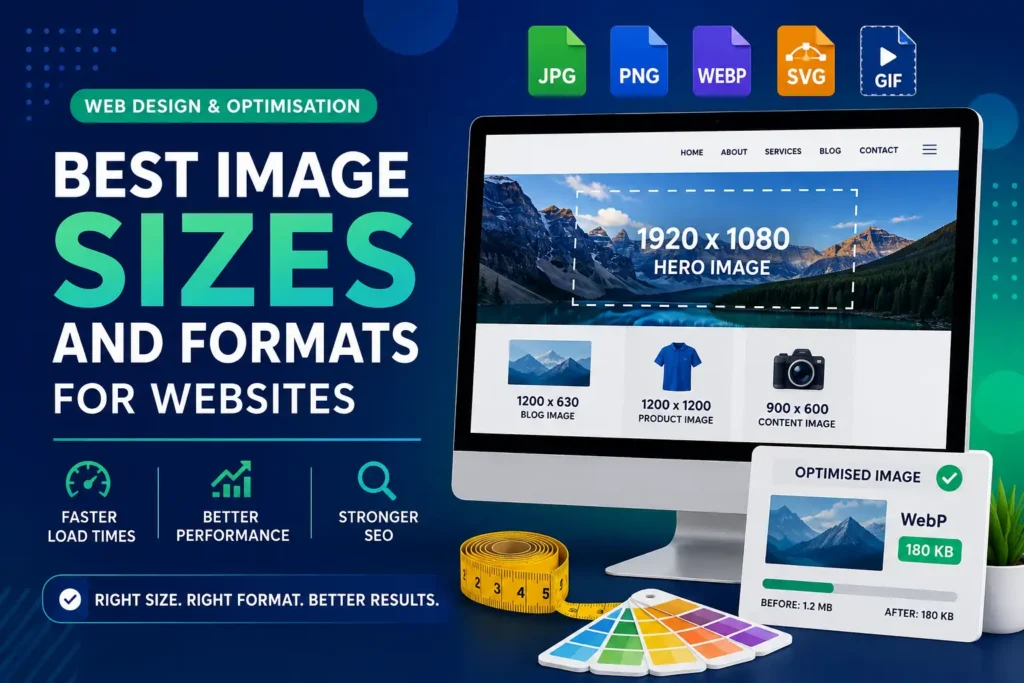
Raster graphics are used in many common image formats. Each format has different strengths depending on whether the image needs compression, transparency, animation or photographic detail.JPG
JPEG
JPEG is widely used for photographs because it provides efficient compression and smaller file sizes while maintaining acceptable visual quality.PNG
PNG
PNG supports transparency and is useful for web images that need clear backgrounds, sharp edges or higher-quality graphics.GIF
GIF
GIF is limited in colour range but is commonly used for simple animations, small graphics and lightweight visual elements.Vector Graphics
Exploring Vector Graphics
Vector graphics rely on mathematical expressions instead of pixels. They use points, lines, curves and shapes to create images that can be scaled without losing sharpness or quality.♾️
Scalable Without Quality Loss
Because vectors are based on mathematical paths, they can be resized for small business cards or large banners while remaining crisp and clean.- No pixelation
- Crisp edges
- Flexible resizing
- Professional print quality
✏️
Highly Editable
Individual vector components can be edited easily. Designers can adjust shapes, lines, colours and text without rebuilding the entire graphic.- Edit shapes separately
- Change colours quickly
- Adjust line weight
- Reuse design elements
Vector File Formats
Common Vector Formats and Their Uses
Vector files are common in professional design workflows because they preserve quality, editability and scalability across different platforms and output sizes.SVG
SVG
SVG is widely used for web graphics because it scales cleanly and can be styled or animated using web technologies such as CSS and JavaScript.AI
Adobe Illustrator
AI files are commonly used in professional graphic design and allow designers to edit vector artwork in detail.EPS
EPS
EPS is often used for transferring artwork between design programs while preserving the structure and quality of the design.Comparison
Comparative Summary of Vector and Raster Graphics
Vector and raster graphics both have important roles in design. The best choice depends on whether the project needs scalability, photographic detail, small file size, editability or specific output quality.| Aspect | Vector Graphics | Raster Graphics |
|---|---|---|
| Quality | Maintains quality at any scale and does not lose detail when resized. | Quality may degrade when enlarged, and pixelation can appear. |
| Scalability | Highly scalable, making it suitable for logos, icons and illustrations. | Limited scalability and best used at fixed sizes or correct resolutions. |
| File Size | Often smaller because shapes are stored mathematically. | Can be larger because pixel information must be stored. |
| Common Uses | Branding, typography, signs, icons, illustrations and graphics that need resizing. | Photographs, detailed images, web visuals and complex artwork. |
Choosing the Right Format
How to Choose Between Vector and Raster
Understanding the strengths of each format helps designers choose the correct graphic type for every project. The decision should be based on purpose, output size, detail level and future editing needs.1
Use Vector for Logos
Logos need to work on websites, business cards, banners, uniforms and signs. Vector files keep them sharp at every size.2
Use Raster for Photos
Photographs require rich colour, lighting and texture, making raster formats the better choice for realistic image detail.3
Check Resolution for Print
Printed raster images need suitable resolution, often much higher than web images, to avoid blurriness or pixelation.4
Consider Editing Needs
If the graphic will need regular colour, shape or size changes, vector formats are usually easier to manage.Design Value
Why This Knowledge Matters for Design Projects
Both vector and raster graphics are valuable. A strong designer understands when to use each one so that the final result looks professional, loads efficiently and works across the required platforms.Better Visual Quality
Choosing the correct format helps maintain sharpness, detail and professional presentation across web and print projects.Sharp Design
Correct Format
Better Output
More Efficient Workflow
Using the right file type makes editing, resizing, exporting and sharing design files easier for designers and clients.Editing
Resizing
Exporting
Stronger Brand Consistency
Vector branding files help businesses keep logos and visual assets consistent across different marketing materials.Branding
Logo Design
Consistency
Improved Web Performance
Optimised raster images and suitable vector graphics can help websites remain visually strong without unnecessary file weight.Web Design
Optimisation
Performance
Conclusion
Vector and Raster Graphics Both Have a Purpose
Vector graphics are best when scalability, clean lines and editability are essential. Raster graphics are best when rich detail, photography and complex colour information are needed. Understanding both formats helps creators make better design decisions.📐
Choose Vector for Flexible Design
Use vector graphics for logos, icons, illustrations, signage and designs that need to scale cleanly across different sizes.🖼️
Choose Raster for Detailed Images
Use raster graphics for photography, detailed web visuals and complex artwork where pixel-level detail is important.Why Choose PRO.COMP Solutions?
Graphic Design Prepared for Web, Print and Branding
PRO.COMP Solutions helps businesses create professional graphic materials using the correct formats for each purpose. From logos and icons to web images, banners, brochures and brand assets, we prepare designs that look sharp and work properly across different platforms.Logo and Brand Design
We create scalable graphic assets that can be used across websites, print materials, social media and promotional designs.Logo Design
Brand Assets
Vector Files
Web and Print Graphics
We prepare optimised visuals for websites, social media, business cards, flyers, brochures and marketing materials.Web Graphics
Print Design
Marketing